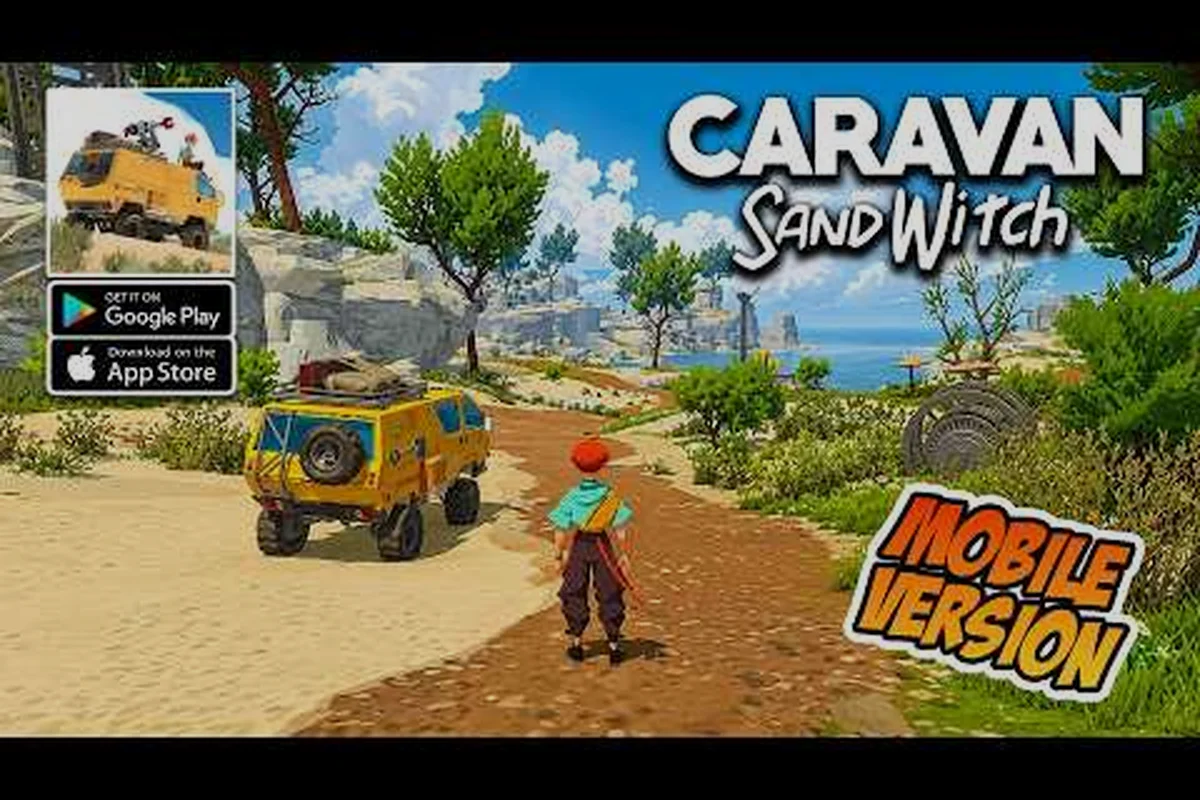
Caravan SandWitch mobile differences go far beyond just smaller buttons and a touchscreen. When the award-winning exploration adventure landed on Android and iOS in August 2026, players quickly discovered that the portable version changes how you save progress, which controllers work, and even how you pay for the full experience. Understanding these differences matters because they affect whether your save carries over, whether your gamepad pairs correctly, and whether you end up paying twice for content you already own. Get the full breakdown here so you can decide if the mobile version fits your play style.
According to the game's official launch announcement on Reddit's AndroidGaming community, Caravan SandWitch on mobile retains the same core exploration mechanics but introduces touch-optimized controls and a streamlined inventory system that differ from the PC version.
Core Platform Differences Between Mobile and PC
The most obvious Caravan SandWitch mobile differences start with how the game is delivered and priced. On PC, you buy the complete game upfront through Steam or other storefronts. On mobile, Plug In Digital uses a free-to-try model where you download the app at no cost and then pay a one-time in-app purchase to unlock the full game. According to the official Google Play listing, this one-time unlock costs $6.99 on iOS, and the Android version follows the same structure. That price point is significantly lower than the PC version, which typically retails for around $24.99, making the mobile port an attractive entry point for budget-conscious players.
The app size also differs dramatically between platforms. The iOS version currently sits at 883.9 MB as of version 1.0.6, which is substantial for a mobile title but still smaller than the PC install footprint of roughly 10 GB. This difference stems from compressed textures and reduced audio bitrates on mobile, which we will examine in the performance section below. The mobile version also requires iOS 18.0+ or iPadOS 18.0+, so older devices simply cannot run the game, a constraint that PC players never face.
| Platform | Price Model | Upfront Cost | Install Size | Save Storage |
|---|---|---|---|---|
| PC (Steam) | Full purchase | ~$24.99 | ~10 GB | Local + Steam Cloud |
| iOS | Free-to-try + IAP | $6.99 unlock | 883.9 MB | Local + iCloud |
| Android | Free-to-try + IAP | $6.99 unlock | ~900 MB | Local + Google Play Games |
The version history also reveals a faster update cadence on mobile. The iOS app launched at version 1.0 on May 4, then received updates on May 13 (1.0.1), June 15 (1.0.2), and July 1 (1.0.3), with 1.0.6 arriving shortly after. This rapid patch cycle indicates that the mobile team is actively addressing performance issues and bug fixes that PC players may never encounter because the desktop build has been stable for months. If you are considering the mobile version, you should expect more frequent downloads and occasional feature parity gaps while the mobile team catches up.
Cross-Save and Cloud Save Support
One of the most frequently asked questions about Caravan SandWitch mobile differences involves whether your PC progress transfers to your phone. The short answer is no, and this is a critical limitation to understand before you invest hours into either version. The mobile version does not support cross-save functionality with the PC release, meaning your Steam save file will not appear on your Android or iOS device, and vice versa. This limitation exists because the mobile port uses a separate save architecture tied to each platform's cloud service rather than a unified account system.
Instead of cross-save, the mobile version relies on platform-specific cloud save integration. On iOS, the game uses iCloud to back up your progress, while Android players get cloud saves through Google Play Games. According to community reports on the r/AndroidGaming announcement thread, these cloud saves work reliably as long as you stay within the same ecosystem. If you switch from an iPhone to an Android phone, however, your progress will not follow you, because the two cloud services do not communicate with each other.
| Save Feature | PC (Steam) | iOS | Android |
|---|---|---|---|
| Cloud backup | Steam Cloud | iCloud | Google Play Games |
| Cross-platform transfer | N/A | No | No |
| Manual save export | Yes (local files) | No | No |
| Save migration tool | N/A | No | No |
The lack of a manual save export option on mobile is another notable difference. PC players can locate their save files in the game directory and back them up manually, which is useful for modding or troubleshooting. Mobile players have no such option, because the save data is sandboxed within the app's protected storage. If you delete the app without ensuring your cloud save has synced, you risk losing all your progress. The mobile troubleshooting guide covers common save-related issues, including what to do when cloud sync fails after a reinstall.
For players who split time between platforms, the practical workaround is to treat each version as a separate playthrough. You might use the PC version for your main completionist run while using the mobile version for quick exploration sessions on the go. Just be aware that any collectibles you find on mobile will not count toward your PC save, so plan your completion strategy accordingly if you care about 100% achievements.
Controller Support and Touch Controls
Controller compatibility represents one of the most significant Caravan SandWitch mobile differences, because the game was originally designed with a gamepad in mind. The good news is that the mobile version supports external controllers on both major platforms. The iOS App Store listing explicitly mentions controller support, and community testing on Android confirms that most Bluetooth gamepads, including Xbox and PlayStation controllers, pair without issues. This support matters because the game's driving mechanics and platforming sections feel noticeably more precise with analog sticks than with touch input.
That said, the touch control scheme is surprisingly well implemented for a game that never originally targeted mobile. The virtual joystick appears on the left side of the screen, while camera control uses a drag gesture on the right. Context-sensitive actions, such as scanning or interacting with objects, trigger automatically when you approach them, which reduces the number of on-screen buttons. The development team clearly studied other mobile adventure ports, because the interface stays clean and unobtrusive during exploration.
| Control Method | Movement Precision | Camera Control | Button Mapping | Learning Curve |
|---|---|---|---|---|
| Touchscreen | Moderate | Drag gesture | Minimal (contextual) | Low |
| Bluetooth Controller | High | Right analog stick | Full mapping | Low (if you know the PC version) |
| Backbone/Razer Kishi | High | Right analog stick | Full mapping + passthrough charging | Low |
The Backbone One and similar mobile controller attachments work particularly well with Caravan SandWitch because they transform your phone into a handheld console. Players on the r/AndroidGaming thread reported that the game detects these controllers automatically without any configuration, and the button prompts switch from touch icons to standard gamepad symbols. If you already own a mobile controller, the experience closely mirrors the PC version, minus the larger screen. If you do not own one, the touch controls are serviceable, but you may find the driving sections frustrating during tight maneuvers or timed challenges.
One notable difference from the PC version is the absence of keyboard and mouse support on mobile. Obviously, this is not a realistic expectation for a phone game, but it means that players who prefer precise camera control with a mouse will need to adapt to either touch or gamepad input. The mobile controls guide offers specific recommendations for adjusting sensitivity settings on both touch and controller setups, which can help ease the transition from PC.
Performance, Graphics, and Battery Life
The $6.99 Unlock: How the Free-to-Try Model Compares to the PC Price
The mobile version uses a free-to-try model where the first portion of Cigalo is playable at no cost, but the full game requires a one-time in-app purchase of $6.99. This is a significant price difference from the PC release, which typically retails for $24.99. For players who only want to explore the opening areas of Provence-inspired Cigalo and meet the Reinetos, the free trial offers roughly the first hour of gameplay. The $6.99 unlock is a single purchase—no subscriptions or ads—and it permanently unlocks the complete story, all van upgrades, and every region.
Game Center Achievements vs. Steam Achievements: A Cross-Platform Comparison
On iOS, Caravan SandWitch integrates with Game Center for achievements, while the PC version uses Steam achievements. The mobile port supports Family Sharing, allowing a single $6.99 purchase to be shared across up to six family members. This is a notable advantage over the PC version, where each copy requires a separate purchase. However, the mobile version lacks the cloud save integration with Steam, meaning players who switch between platforms cannot carry their van upgrades or story progress between devices. The iOS version is rated 9+ for age, while the PC version carries a similar rating, but the mobile version's touch controls may make certain platforming sections more challenging.
Performance represents the most variable aspect of Caravan SandWitch mobile differences, because results depend heavily on your specific device. The game's art style, inspired by the landscape of Provence in southern France, features warm colors and soft lighting that translate well to smaller screens. However, the rendering resolution on mobile is typically lower than on PC, and the game uses dynamic resolution scaling to maintain a stable frame rate. On high-end devices like the iPhone 15 Pro or Snapdragon 8 Gen 3 Android phones, the game runs at a smooth 60 frames per second, while mid-range devices may drop to 30 FPS during dense outdoor scenes.
The graphics settings available on mobile are also more limited than on PC. The desktop version offers adjustable quality presets, shadow resolution, and anti-aliasing options, while mobile players get a simplified set of toggles that mostly control resolution scaling and frame rate caps. According to the GamingOnPhone announcement, the mobile port uses adaptive performance technology that automatically adjusts rendering quality based on your device's thermal state. This means the game may look slightly softer after extended play sessions as your phone heats up, a compromise that PC players never experience.
| Performance Aspect | PC (High-End) | PC (Mid-Range) | Mobile (High-End) | Mobile (Mid-Range) |
|---|---|---|---|---|
| Frame Rate | 120+ FPS | 60 FPS | 60 FPS | 30 FPS |
| Resolution | 4K native | 1080p | 1440p (scaled) | 1080p (scaled) |
| Texture Quality | Ultra | High | High | Medium |
| Load Times | 5-10 seconds (SSD) | 10-15 seconds | 8-12 seconds | 15-20 seconds |
Battery consumption is another factor that PC players never need to consider. Caravan SandWitch is a 3D open-world game, which means it draws significant power during play. Community testing suggests that a full charge on a modern smartphone lasts roughly 2.5 to 3.5 hours of continuous play, depending on screen brightness and whether you are using a controller. The game also generates noticeable heat during extended sessions, so you should consider playing with a case removed or using a phone cooler if you plan marathon sessions. The free download news article includes details about recent performance patches that addressed thermal throttling on certain Android devices.
Load times on mobile are surprisingly competitive with PC, thanks to the game's streaming architecture. The open world of Cigalo loads in chunks as you explore, so initial boot times are the only significant wait. On modern devices with fast flash storage, the game launches in under 15 seconds, which is comparable to a PC with an SSD. Older devices may experience longer load times and occasional texture pop-in, but these issues are generally minor and do not detract from the overall experience.
The Free-to-Try Model and What You Actually Get
The pricing structure represents one of the most important Caravan SandWitch mobile differences, because it changes how you evaluate the game's value. The free-to-try model allows you to download the app and play the opening section without paying anything. According to the Google Play listing, this trial includes the prologue and a portion of the first chapter, giving you roughly 30 to 45 minutes of gameplay. This is enough time to explore the starting area, drive the van, and meet the first NPCs, which helps you decide whether the game's relaxed pacing suits your preferences.
The full game unlock costs $6.99 as a one-time in-app purchase on both iOS and Android. This purchase permanently unlocks the complete game, including all chapters, side quests, and collectibles. There are no recurring subscriptions, no energy systems, and no premium currency, which is refreshing compared to many mobile games. The price point is notably lower than the PC version, which means mobile players get the same core experience at a significant discount, though they sacrifice some graphical fidelity and cross-save functionality.
| Content | Free Trial | Full Unlock ($6.99) |
|---|---|---|
| Prologue and opening chapter | Yes | Yes |
| All story chapters | No | Yes |
| Side quests and character stories | No | Yes |
| All collectibles and achievements | No | Yes |
| Van upgrades and tools | Limited | Full |
| Post-game content | No | Yes |
The trial-to-full-game transition is seamless. When you purchase the unlock, the game continues from your trial save without requiring a restart, and all your progress carries over. This is a well-designed system that respects your time investment. However, you should note that the trial version does not support cloud saves in the same way as the full version. According to community reports, cloud sync activates only after you purchase the full game, so if you delete the app during the trial period, you will lose your progress.
If you are wondering whether Caravan SandWitch is mobile free, the answer is nuanced. The download is free, and you can play a meaningful slice of the game without spending anything. But the complete experience requires the $6.99 unlock. Compared to other premium mobile ports that cost $10 to $15, this pricing is aggressive and represents excellent value. The mobile pricing breakdown offers a detailed comparison of the mobile cost against the PC version and other similar adventure games, which can help you decide if the discount justifies the platform trade-offs.
Which Version Should You Choose
Version History: How Update 1.0.6 Fixed Mobile-Specific Issues
The iOS version has seen a rapid patch cycle since launch, with version 1.0.6 being the current release as of August 2026. The initial 1.0 launch on May 4 was followed by 1.0.1 on May 13, 1.0.2 on June 15, and 1.0.3 on July 1. This aggressive update schedule suggests the developer is actively addressing mobile-specific bugs, likely including the camera control issues and save file problems that are common in ports. The 883.9 MB download size on iOS is substantial, and players should ensure they have adequate storage before updating, as each patch requires additional space for the installation process.
Controller Support: How Mobile Compares to PC Input Methods
The iOS version of Caravan SandWitch supports external controllers, bringing the experience closer to the PC version's keyboard and mouse setup. However, the mobile port is optimized for touch controls, which means the interface is redesigned for tapping and swiping rather than precise cursor movements. Players using a controller on mobile will find the button mapping matches the PC version's layout, making the transition seamless. The touch controls are particularly important for the van's traversal mechanics, as swiping gestures are used to navigate the rocky terrain of Cigalo. For players who find touch controls imprecise, connecting a Bluetooth controller via Game Center provides a more familiar experience.
Deciding between the PC and mobile versions of Caravan SandWitch ultimately comes down to your priorities as a player. The PC version remains the definitive way to experience the game, with higher graphical fidelity, smoother performance on capable hardware, and the ability to mod or back up your saves. If you have a gaming PC and prefer playing at a desk with a large monitor, the desktop version is the safer choice. The mobile version, on the other hand, excels at portability and convenience, letting you explore the world of Cigalo during commutes, lunch breaks, or while relaxing on the couch.
The controller support on mobile narrows the gap between platforms considerably. If you own a Backbone, Razer Kishi, or a standard Bluetooth gamepad, the mobile experience closely mirrors the PC version in terms of control precision. The main sacrifices are visual quality and the absence of cross-save, which may matter less if you plan to play exclusively on one platform. For players who travel frequently or prefer handheld gaming, the mobile version at $6.99 is an exceptional bargain.
| Decision Factor | Choose PC | Choose Mobile |
|---|---|---|
| Graphics quality | Best | Good (scaled) |
| Portability | Poor | Excellent |
| Controller support | Native | Good (Bluetooth) |
| Cross-save with other platforms | No | No |
| Price | ~$24.99 | $6.99 |
| Save backup options | Manual + Cloud | Cloud only |
| Mod support | Yes | No |
The community reception on mobile has been largely positive, according to the r/AndroidGaming announcement thread. Players praised the faithful adaptation of the game's cozy atmosphere and the absence of aggressive monetization, which is rare in the mobile space. Some players reported minor bugs during the first week after launch, but the rapid update cadence suggests the developers are committed to polishing the experience. The beginner guide includes tips for new mobile players, including recommended settings and early-game priorities that differ slightly from the PC version due to touch control nuances.
If you already own the PC version and are considering the mobile port, the decision depends on whether you value save continuity or portable convenience more. Since cross-save does not exist, you would be starting fresh on mobile, which means replaying the opening hours. For some players, this is an opportunity to experience the story again with a different perspective. For others, the lack of progression sharing makes the mobile purchase feel redundant. Consider whether you have the time and patience for a second playthrough before spending the $6.99.
Frequently Asked Questions
Does Caravan SandWitch support cross-save between PC and mobile?
No, Caravan SandWitch mobile differences include the absence of cross-save functionality. Your PC save file on Steam will not transfer to the mobile version, and mobile progress does not sync to PC. Each platform maintains its own separate save system, so you must choose one platform as your primary playthrough or accept starting fresh on the other.
Can I use a controller with the mobile version?
Yes, the mobile version supports Bluetooth controllers on both iOS and Android. The App Store listing explicitly mentions controller support, and community testing confirms that Xbox and PlayStation controllers pair without issues. Mobile controller attachments like the Backbone One also work automatically, providing a handheld console experience that closely matches the PC version's control precision.
Is Caravan SandWitch free on mobile?
The game uses a free-to-try model, meaning you can download and play the opening section without paying. The full game requires a one-time in-app purchase of $6.99 on both iOS and Android. This unlock permanently grants access to all chapters, side quests, and collectibles, with no recurring fees or premium currency.
How does the mobile version compare graphically to PC?
The mobile version uses dynamic resolution scaling and lower texture quality compared to PC. High-end phones run the game at 60 FPS with scaled 1440p resolution, while mid-range devices target 30 FPS at 1080p. The PC version offers 4K native resolution and adjustable graphics settings, making it the superior choice for visual fidelity.
Will my mobile save back up to the cloud?
Yes, your mobile save backs up to the cloud, but only after you purchase the full-game unlock. iOS uses iCloud, while Android uses Google Play Games. Cloud sync won't transfer saves between iOS and Android, though reinstalling the app on the same ecosystem should restore your progress automatically.