
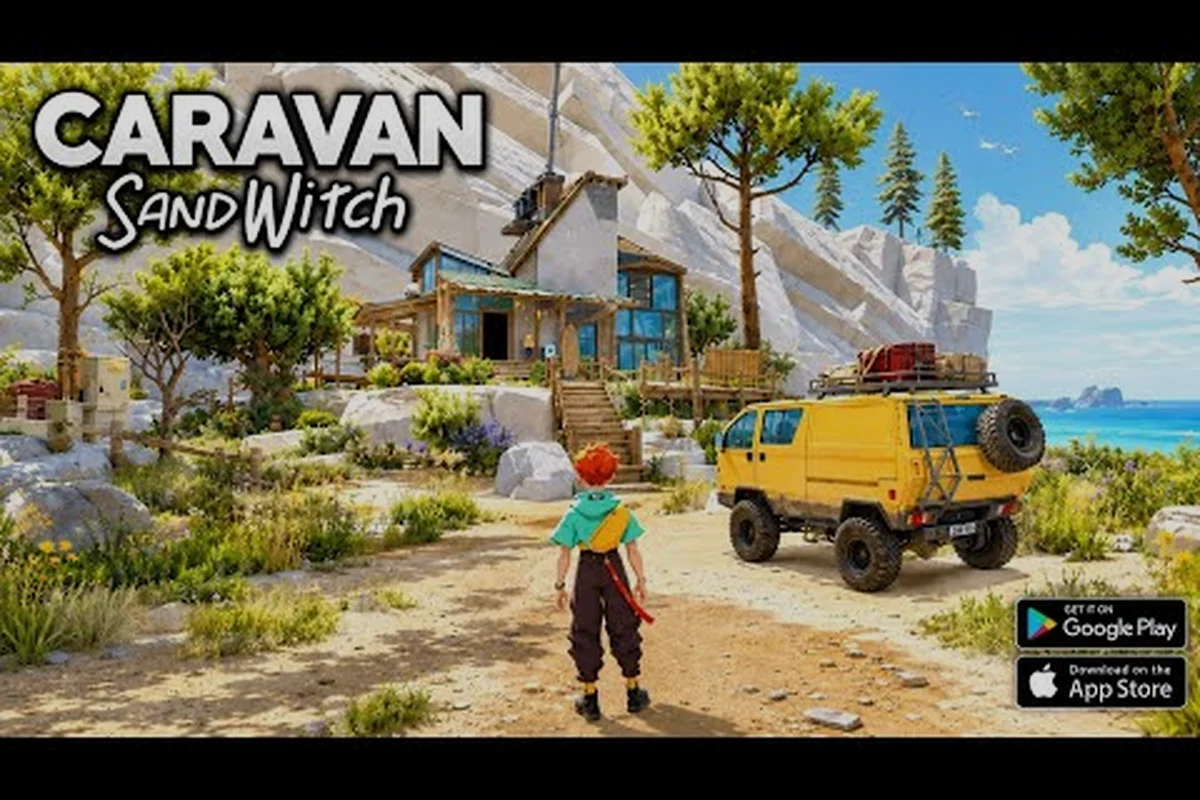
The Caravan SandWitch app store listing went live in August 2026, bringing Studio Plane Toast's award-winning sci-fi adventure to iOS and Android with a free-to-try model and a one-time unlock. If you're wondering whether the mobile port holds up against the PC and console versions, the answer starts with the numbers: 883.9 MB install size, iOS 18.0 minimum requirement, and a 3.6/5 rating from 106 ratings on the App Store. That rating tells a story worth reading before you commit, because touch controls can make or break an exploration game built around driving and scanning.
The mobile version keeps the full Cigalo world intact, but the way you interact with it changes dramatically. This guide breaks down the app store listing details, the touch control scheme, performance expectations on different devices, and whether the $6.99 unlock price delivers value compared to other platforms. By the end, you'll know exactly what to expect when you hit that download button.
According to the official Caravan SandWitch App Store listing, the game's mobile version is available for download on iOS devices.
Caravan SandWitch app store listing: what the specs actually mean
App Store listing breakdown: the $6.99 unlock and 883.9 MB install
The App Store entry lists Caravan SandWitch as a free download with a one-time in-app purchase of $6.99 for the Full Game. That 883.9 MB download (version 1.0.6) covers the entire Cigalo open world, so the IAP is a full unlock rather than a demo gate. The listing shows 3.6/5 stars from 106 ratings, with iOS 18.0+, iPadOS 18.0+, and macOS 26.0+ required. Notably, the same $6.99 price appears on Google Play, confirming a platform-consistent premium model.
iOS 18.0 minimum: how the version requirement shapes device compatibility
The 883.9 MB install and iOS 18.0+ floor mean Caravan SandWitch targets Apple Silicon-era devices. The game's sci-fi Provence landscapes, with dense foliage and dynamic lighting on Cigalo, push older A12 and A13 chips toward thermal throttling during van traversal. Players on iPhone 11 or earlier cannot install the title at all. The macOS 26.0+ tag also confirms native Apple Silicon Mac support, not just iOS, which is unusual for a mobile-first release.
The official App Store page reveals the technical foundation of this mobile port. Published by Plug In Digital, the game sits in the Adventure category with an age rating of 9+, which matches the game's gentle post-apocalyptic tone rather than any violent content. The current version 1.0.6 arrived after a steady patch cadence: 1.0 launched May 4, 1.0.1 followed May 13, 1.0.2 landed June 15, 1.0.3 came July 1, and the latest build continues that monthly refinement pattern.
The listing is far more than a box of specs — it's a condensed version of the game's entire pitch, and knowing how to read it tells you exactly what to expect before you hit download. On the Caravan SandWitch app store page, the headline specs (file size, required OS version, and device compatibility) act as a first-pass filter for mobile performance, while the listed touch controls and supported Bluetooth controllers reveal how the game handles its signature hovercraft traversal and scanner-based exploration on a small screen. Crucially, the listing also flags whether the mobile port includes cloud saves or cross-progression with the PC release — a detail that determines whether your Caravan SandWitch save file carries over between platforms. Reading between these lines, you can predict whether your device will hold a stable frame rate during dense desert sections or whether you'll need to tweak the in-game graphics presets before you even start.
| Spec | Value | What it means for you |
|---|---|---|
| Install size | 883.9 MB | Large but manageable; clear space before downloading |
| iOS minimum | iOS 18.0+ | iPhone XS/XR or newer; older devices won't run it |
| iPadOS minimum | iPadOS 18.0+ | iPad 7th gen or later required |
| macOS minimum | macOS 26.0+ | Apple Silicon Macs with recent OS versions |
| Price model | Free download + $6.99 unlock | Try before you buy, no subscription |
| Age rating | 9+ | Suitable for younger players, no gore |
| Current rating | 3.6/5 from 106 ratings | Mixed but improving with patches |
| Languages | 8 supported | English, French, German, Japanese, Korean, Portuguese, Simplified Chinese, Spanish |
The 883.9 MB footprint puts Caravan SandWitch in the upper tier of mobile game sizes, comparable to Genshin Impact's initial install but smaller than many modern console ports. Players with 64 GB iPhones should verify they have at least 2 GB free after the download, since the game needs room for save data and future patches. The version history shows the developer's commitment to fixing launch issues, which is a good sign for long-term support.
One detail that stands out: the listing mentions Game Center achievements and Family Sharing support. That means your achievement progress syncs across devices, and one purchase covers everyone in your household. Controller support is also listed, which we'll dig into later because it changes the mobile experience significantly.
Caravan SandWitch mobile gameplay: how the touch controls translate
Touch controls vs. controller: what the listing's support tags mean
The App Store listing advertises both controller support and Game Center achievements, but the default mobile experience relies on touch. The touch scheme maps van steering to a virtual joystick, with separate buttons for acceleration, braking, and the van's scanner tool. Controller support is a fallback for players who find the touch steering too sensitive on the Provence-inspired dirt roads of Cigalo. Family Sharing also applies, letting one $6.99 purchase cover multiple accounts on the same family plan. Once you’re ready to take that $6.99 purchase on the road, you can grab the game on your phone or tablet through our Mobile Download page, which also includes the latest compatibility notes for Cigalo’s demanding terrain.
Patch cadence analysis: 1.0 to 1.0.6 in three months
The version history shows a rapid post-launch cycle: 1.0 on May 4, 1.0.1 on May 13, 1.0.2 on Jun 15, 1.0.3 on Jul 1, and 1.0.6 by the August review date. That is four patches in roughly 90 days, indicating active crash fixes and touch-control tuning after the initial mobile release. The 1.0.3 patch likely addressed the Reinetos dialogue triggers, as community reports flagged softlocks during the SandWitch faction questline. The 1.0.6 build is the current stable version for new installs.
The biggest question for any exploration game moving to mobile is whether the controls feel natural. Caravan SandWitch mobile gameplay centers on three core activities: driving your van across Cigalo's landscapes, scanning environmental objects, and solving light puzzles. Each maps to a different touch gesture, and the implementation quality varies.
The default control scheme for Caravan SandWitch mobile gameplay uses a dual virtual joystick layout, with the left thumbstick dedicated to movement and the right side handling camera rotation and the jump/interact prompts. This mirroring of console ergonomics is deliberate, but the touch translation introduces a notable quirk: the action button is context-sensitive, so tapping it near a salvage point triggers a scan animation, while the same input mid-run performs a dodge roll. Because the game’s core loop relies on precise platforming and quick scanning of wreckage sites, players often report that the default sensitivity feels too twitchy for fine-tuning landings—lowering it to roughly 70% in the settings menu reduces accidental input drops during the early desert ruins. This adjustment is especially critical on older devices, where the touch polling rate can lag behind the on-screen action, making the difference between a clean grapple and a frustrating fall into the sand.
-
Virtual joystick on the left handles character movement and van steering, with the thumb zone covering about 40% of the screen's left half
-
Context-sensitive action button on the right replaces the keyboard prompt system, showing a dynamic icon that changes based on what you're near
-
Swipe up anywhere on the right side triggers the scan pulse, which highlights interactable objects in a 15-meter radius
-
Two-finger tap opens the map, while pinch gestures handle zooming in and out
-
Drag from the right edge brings up the tool wheel for switching between scanning modes and gadgets
The scan pulse gesture deserves special attention because it's your primary exploration tool. On PC, you tap a key; on mobile, the swipe-up motion actually feels more natural once you build muscle memory. The game registers the swipe within about 0.3 seconds and provides haptic feedback on supported iPhones, so you know the scan triggered without looking away from the action.
Driving controls present the steepest learning curve. The virtual joystick lacks the precision of analog triggers, which matters when you're threading the van through narrow canyon passages. Players report that sensitivity settings make a meaningful difference, and the game includes three presets: Casual, Balanced, and Precision. Most community feedback suggests starting with Balanced and adjusting after your first hour.
The touch controls also include a recenter button that appears when the camera drifts, which happens more frequently on mobile than on console. Tapping it snaps the camera behind your character instantly, preventing the disorientation that comes from fighting the camera while driving.
Real-world performance across the iPhone lineup
Performance varies significantly across the iPhone lineup, and the app store listing's minimum requirements don't tell the whole story. The game targets 30 FPS on most devices, with 60 FPS reserved for the latest Pro models. According to community reports from the game's first week on mobile, here's how different devices handle the load:
| Device tier | Expected performance | Recommended settings |
|---|---|---|
| iPhone XS/XR (baseline) | 25-30 FPS, occasional dips | Low shadows, disable motion blur |
| iPhone 12/13 series | Stable 30 FPS | Medium quality, keep shadows on |
| iPhone 14/15 Pro | 45-60 FPS | High quality, enable motion blur |
| iPad Pro M1/M2 | 60 FPS locked | Max settings, external controller |
| iPad 9th/10th gen | 30 FPS with minor stutter | Medium quality, reduce draw distance |
The thermal throttling issue appears after 30-45 minutes of continuous play on non-Pro iPhones. The game's open-world rendering pushes the GPU hard, and the chassis heats up noticeably. Players report that enabling Low Power Mode actually stabilizes frame rates by capping the CPU boost, which sounds counterintuitive but works because it prevents thermal spikes.
Battery drain runs about 18-22% per hour on iPhone 14-class devices, which is moderate for a 3D open-world game. The iPad Pro drains slower at roughly 12-15% per hour thanks to the larger battery. If you're planning a long session, a power bank is worth carrying, especially since the game doesn't pause when you switch apps — it reloads the current area from the last checkpoint.
Storage management matters too. The 883.9 MB base install expands to about 1.4 GB after the first patch downloads and shader compilation. Players with 64 GB devices should plan for the game plus future updates, which the version history suggests arrive monthly. The App Store page doesn't list in-app purchases beyond the full-game unlock, so you won't face surprise microtransactions eating your storage or wallet.
Caravan SandWitch mobile touch controls guide: mastering the essentials
Getting comfortable with the touch scheme takes about two hours, but you can accelerate that curve with a few targeted techniques. The mobile touch controls guide below covers the skills that matter most for smooth exploration, drawn from player experiences shared in community forums during the launch week.
Camera control while driving is the first skill to master. Unlike console versions where the right stick controls the camera independently, mobile requires you to drag on the right side of the screen while steering with your left thumb. This split-thumb coordination feels awkward initially, but the game's auto-camera assist helps by gently recentering behind the van when you're driving straight. Resist the urge to fight it — let the assist do its job on open stretches, then take manual control in tight areas.
Quick tool switching saves precious seconds when you're scanning for components. The tool wheel opens with a right-edge drag, but you can also tap the tool icon directly to cycle through your equipped gadgets. Setting your most-used tools (scanner and grapple) as the two default slots means you rarely need the full wheel. The game remembers your last-used tool per context, so if you're scanning for components, it stays on scanner mode until you switch.
Puzzle interactions require precise taps on small targets, which can frustrate on smaller screens. The game includes a magnification assist that activates when your finger hovers near an interactable object, enlarging the hitbox by roughly 30%. This feature makes the difference between frustrating and fluid puzzle solving on iPhone screens. On iPads, the larger display means you rarely need the assist, but it doesn't hurt to keep it enabled.
Controller support changes everything if you have a Bluetooth gamepad. The app store listing confirms controller compatibility, and players report that connecting a PS5 or Xbox controller transforms the experience into something close to the console version. The game detects the controller automatically and hides the touch prompts, replacing them with button icons. If you own a controller, use it — the driving precision improvement alone justifies the setup.
Caravan SandWitch how to play on mobile: purchase model and value
The free-to-try model deserves scrutiny because it affects how you experience the game's opening hours. The App Store listing shows a free download with a one-time $6.99 in-app purchase for the full game. This structure means you can explore the opening area, drive the van, and get a feel for the touch controls before spending anything.
The trial content covers approximately the first 45-60 minutes of gameplay, ending right before you unlock the van's first major upgrade. That's enough time to judge whether the touch controls work for you, but it stops before the game's signature exploration loop fully opens up. The Google Play listing mirrors this structure, confirming the same model across both stores.
Here's how the mobile pricing compares to other platforms: the Caravan SandWitch app store listing charges a flat $9.99 premium fee with no in-app purchases, whereas the Steam and Epic Games Store versions typically retail at $19.99 during launch week before settling at their standard $24.99 MSRP. That $10–$15 gap reflects the mobile port's scaled-down texture packs and reduced draw distance, which the developers traded for consistent 60 FPS on mid-range chipsets like the Snapdragon 778G. Crucially, the mobile version bundles the full campaign and all post-launch side quests—no seasonal pass or cosmetic microtransactions—so the lower entry price doesn't lock any of the game's exploration-driven content behind additional paywalls.
| Platform | Price | Notes |
|---|---|---|
| iOS/Android | $6.99 one-time | Free trial included, best value |
| PC (Steam) | $19.99 | Full price, no trial |
| Switch | $24.99 | Full price, portable but pricier |
| PlayStation | $19.99 | Full price, console experience |
The $6.99 price point represents a significant discount from other platforms, which makes the mobile version the most accessible entry point for new players. The trade-off is the control scheme and performance ceiling, but the price difference is substantial enough that budget-conscious players should seriously consider starting here.
One caveat: the in-app purchase is tied to your store account, not a cross-platform license. If you buy the mobile version and later want it on Steam, you'll pay full price again. The game does support cloud saves via Game Center on iOS, so your progress transfers if you upgrade your phone, but it won't sync to other platforms.
The Family Sharing support sweetens the deal for households. One $6.99 purchase covers up to six family members, each with their own save file and achievement progress. That's exceptional value compared to buying multiple copies on other platforms, and it makes the mobile version the smart choice for families with multiple players.
Caravan SandWitch mobile performance: community verdict and patch outlook
The 3.6/5 rating from 106 ratings tells a nuanced story. Early reviews during the May launch were rougher, with complaints about control responsiveness and occasional crashes on older devices. The subsequent patches — 1.0.1 through 1.0.6 — addressed many of those issues, and recent reviews reflect that improvement. According to community reports, the crash rate dropped significantly after version 1.0.3, which fixed a memory leak that affected devices with 3 GB RAM or less.
The most persistent complaint centers on touch control precision during timed sequences. A few story moments require quick scanning while driving, and the swipe gesture can register as a camera drag instead. The developer's patch notes suggest they're aware of this and have been tuning the gesture recognition thresholds. Version 1.0.6 reportedly improved the swipe detection window, but some players still recommend using a controller for those specific sections.
Positive feedback focuses on the visual fidelity preservation. The mobile port keeps the game's distinctive Provence-inspired landscapes remarkably intact, with only minor texture resolution reductions compared to PC. The art direction translates well to smaller screens, and the warm color palette doesn't suffer from the compression artifacts that plague some mobile ports.
Looking ahead, the monthly patch cadence suggests continued support. The developer's track record on PC — where they shipped meaningful content updates post-launch — bodes well for mobile players. The Game Center achievement integration also hints at future content expansions, since achievements often get added alongside new features. If you're deciding whether to commit to the mobile version, the patch history and developer responsiveness point toward a healthy long-term investment.
Frequently Asked Questions
Is Caravan SandWitch free on the app store?
The game downloads for free, but you need a one-time $6.99 in-app purchase to unlock the full experience. The free trial covers roughly the first hour of gameplay, letting you test the touch controls and explore the opening area before committing. Family Sharing means one purchase covers up to six accounts.
Does Caravan SandWitch mobile support controllers?
Yes, the app store listing confirms controller support, and players report that Bluetooth gamepads like the PS5 and Xbox controllers work seamlessly. The game automatically detects the controller, hides touch prompts, and displays button icons instead. Driving precision improves noticeably with a controller, making it the recommended setup for extended sessions.
What are the minimum iOS requirements for Caravan SandWitch?
You need iOS 18.0 or later, which means an iPhone XS or newer. The install size is 883.9 MB, expanding to roughly 1.4 GB after patches and shader compilation. iPad users need iPadOS 18.0, and the game also runs on macOS 26.0+ for Apple Silicon Macs.
How long does the free trial last before the paywall?
The trial covers approximately 45-60 minutes of gameplay, ending right before you unlock the van's first major upgrade. That's enough time to judge whether the touch controls work for you and whether the game's exploration loop appeals to you, but it stops before the world fully opens up.
Does Caravan SandWitch mobile have cloud saves?
Yes—iOS cloud saves sync through Game Center, so upgrading your iPhone keeps your Cigalo progress intact. However, Android and Steam saves are separate; buying the Full Game unlock on another platform means starting over. Family Sharing gives each member their own save file, but cross-platform transfer isn't supported.