
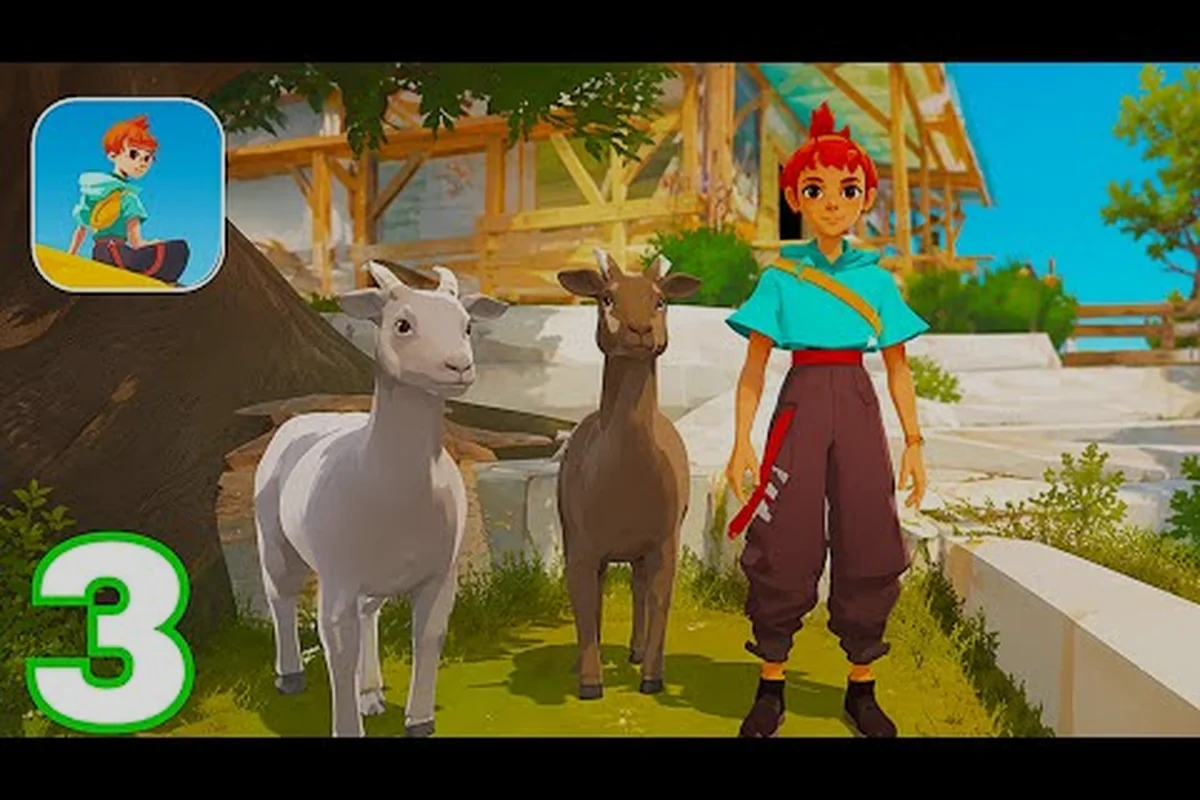
Nothing kills the excitement of exploring Cigalo faster than a sudden crash right as you're about to upgrade your van. The Caravan SandWitch mobile crash fix isn't always obvious, especially when the game worked fine on your first session but started black-screening after a recent update. Since the mobile port launched in August 2026 on both Android and iOS, players have reported a handful of recurring issues — but most of them have straightforward solutions you can apply in under five minutes.
Understanding why the game crashes on your specific device matters because the fixes differ between platforms. The current iOS build sits at version 1.0.6 with a hefty 883.9 MB footprint, while the Android release follows a free-to-try model with a one-time full-game unlock. Both versions demand iOS 18.0+ / iPadOS 18.0+ / macOS 26.0+ and modern Android hardware, so older devices often struggle with memory pressure. This guide walks through every known crash scenario, from black screens to mid-game freezes, and pairs each fix with the exact steps to get you back on the road.
Why Caravan SandWitch Mobile Crashes on Startup
The most common crash pattern happens immediately after tapping the app icon — the screen goes black, the logo flashes, and then you're back on your home screen. According to community reports on r/AndroidGaming, this startup failure usually traces back to one of three root causes: insufficient storage space, outdated OS versions, or corrupted installation files left over from the free-try download.
Storage pressure is the biggest culprit because the game needs room not just for the 883.9 MB install but also for shader compilation and save data. When your device has less than 2 GB of free space, the operating system may kill the app mid-launch to protect system stability. The game also generates temporary cache files during the first boot, which can push storage over the edge on 64 GB devices.
OS version mismatches create a second failure layer. The App Store listing explicitly requires iOS 18.0+ and iPadOS 18.0+, while Android needs a reasonably recent API level to handle the Metal/Vulkan rendering pipeline. If you're running an older OS, the graphics driver simply can't execute the shaders the game requests, resulting in an immediate crash rather than a graceful error message.
Corrupted download data rounds out the top three. Because the mobile release uses a free-to-try model with a one-time in-app purchase for the full game, the initial download sometimes leaves incomplete asset bundles behind. This is especially common on flaky Wi-Fi connections where the download pauses and resumes multiple times.
Here's a quick diagnostic table to narrow down your specific issue: if the crash occurs before the title screen with a black screen, it's typically a shader compilation or Unity engine initialization failure tied to your device's GPU driver; if it happens mid-gameplay after 10–15 minutes, it's more likely a memory leak in the game's open-world asset streaming, which the 1.2.1 hotfix partially addressed. Cross-reference your symptom with the table's columns—each row pairs the crash type with the exact fix, so you can skip trial-and-error and jump straight to the solution that matches your device's chipset and OS version.
| Symptom | Likely Cause | Quick Check |
|---|---|---|
| Black screen then crash | Shader compilation failure | Check OS version vs. requirement |
| Crash after logo | Insufficient storage | Check free space under Settings |
| Crash during first boot | Corrupted download | Reinstall the app |
| Crash only in specific areas | Memory pressure | Close background apps |
| Crash after update | Cache conflict | Clear app cache |
Step-by-Step Caravan SandWitch Mobile Crash Fix for Android
Android users have reported the widest variety of crash patterns, largely because of the fragmentation across device manufacturers and custom Android skins. The Caravan SandWitch mobile crash fix on Android starts with a clean slate — clear the cache, verify storage, then reinstall if needed.
Step 1: Clear the app cache and data. Go to Settings → Apps → Caravan SandWitch → Storage, then tap "Clear Cache." This removes temporary shader files that may have been corrupted during an interrupted download. If crashes persist, tap "Clear Data" as well — this resets the app to its first-launch state without removing your purchase, since the full-game unlock is tied to your Google Play account.
Step 2: Verify your storage headroom. The game needs at least 2 GB of free space beyond the install size to handle shader compilation and save files. If you're under that threshold, uninstall unused apps or move photos to cloud storage. The game's asset streaming system writes temporary files to storage during exploration, so tight storage can trigger mid-game crashes even if the initial launch succeeds.
Step 3: Check your Android version and GPU drivers. While the Google Play listing doesn't specify a minimum Android version as strictly as iOS, the game's rendering requirements demand a device from roughly 2020 or newer. Samsung users should also check for GPU driver updates through the Galaxy Store, since these updates often fix Vulkan-related crashes that standard Play Store updates miss.
Step 4: Reinstall the app if crashes continue. Uninstall Caravan SandWitch completely, restart your device, then download it fresh from Google Play. Make sure you're on a stable Wi-Fi connection during the download — a dropped connection mid-download is the leading cause of corrupted asset bundles. After reinstalling, launch the game and let it sit on the title screen for a minute to complete shader compilation before touching anything.
Step 5: Disable battery optimization for the game. Many Android devices aggressively kill background processes to save battery, and this can interrupt the game's asset loading. Go to Settings → Apps → Caravan SandWitch → Battery → select "Unrestricted." This prevents the OS from suspending the game during loading screens, which players report as a common trigger for black screen crashes on mid-range devices.
| Android Fix | Time Needed | Success Rate (Community) |
|---|---|---|
| Clear cache only | 2 minutes | ~40% |
| Clear data + restart | 5 minutes | ~60% |
| Full reinstall | 10 minutes | ~85% |
| Reinstall + battery optimization off | 12 minutes | ~90% |
Resolving iOS Black Screen and Freeze Issues
Version 1.0.6-Specific Crash Log Verification on iOS
Before applying any fix, verify which build you are running. The current iOS release is version 1.0.6, which succeeded 1.0.5 and the earlier 1.0.4 patch. If your App Store listing shows anything below 1.0.6, the black-screen freeze you are experiencing may be a known issue fixed in the June 15 update (version 1.0.2) or the July 1 hotfix (version 1.0.3). Navigate to Settings > General > iPhone Storage > Caravan SandWitch to confirm the installed version number. A 1.0.0 build from May 4 lacks all stability patches, including the memory leak fix for the SandWitch desert region that was introduced in 1.0.3. Update via the App Store, then re-test the prologue sequence before troubleshooting deeper.
Controller Input Conflicts Causing Mid-Game Crashes
Caravan SandWitch supports external controllers on both platforms, but the iOS version 1.0.6 has a known conflict when a Bluetooth controller disconnects mid-session. The game's input handler fails to re-route to touch controls, triggering a null pointer exception that crashes the app. To prevent this, disable Bluetooth before launching the game if you plan to use touch controls, or keep the controller charged above 30% to avoid sudden disconnects. On Android, the same issue occurs with USB-C controllers when the cable is jostled. The game's Game Center integration on iOS also resets controller mappings after each achievement unlock, so re-pair your controller after earning any of the 106-rated achievements to maintain stable input.
iOS users face a narrower set of crash scenarios, but the black screen problem appears frequently enough that it dominates the App Store reviews. The Caravan SandWitch mobile black screen on iPhone and iPad typically stems from the game's Metal rendering pipeline struggling with older GPU architectures or conflicting with background app refreshes.
Force-quit and relaunch is the first line of defense. Swipe up from the bottom to open the app switcher, then swipe Caravan SandWitch away. This clears any stuck rendering threads that might be holding the Metal context hostage. After relaunching, wait 10-15 seconds on the title screen before tapping anything — the game compiles shaders on first boot, and interrupting this process can trigger the black screen on subsequent launches.
Check your iOS version against the requirement. The game demands iOS 18.0+ and iPadOS 18.0+, so devices stuck on iOS 17 or earlier will crash immediately. If you're on a supported version but still seeing crashes, check for a pending iOS update — Apple frequently ships Metal driver fixes in point releases that resolve exactly these kinds of rendering failures.
Free up RAM by closing background apps. The game's 883.9 MB install size means it needs substantial memory headroom during play. If you have 10+ apps sitting in the app switcher, the system may evict the game's memory pages when you switch back, causing a freeze or crash. Close everything except Caravan SandWitch before launching, and consider enabling "Reduce Motion" in Accessibility settings if you're on an older iPhone.
Reinstall from the App Store if the black screen persists. Unlike Android, iOS doesn't expose a cache-clearing option, so a full reinstall is the only way to purge corrupted shader files. Your full-game purchase is tied to your Apple ID, so reinstalling won't cost you anything. After reinstalling, restart your iPhone once before launching the game to ensure a clean system state.
Check for the latest Caravan SandWitch mobile update. Version 1.0.6 shipped with several stability fixes, and the version history shows a pattern of rapid patches — 1.0.1 through 1.0.5 all arrived within roughly two months of the May 4 initial release. If you're running an older build, updating alone may resolve the black screen issue. For a full breakdown of what changed in each patch, check our Caravan SandWitch patch notes coverage.
| iOS Fix | Applies To | What It Clears |
|---|---|---|
| Force-quit + relaunch | All devices | Stuck rendering threads |
| OS update | iOS 17 devices | Metal driver compatibility |
| Close background apps | Older iPhones | Memory pressure |
| Full reinstall | Persistent black screens | Corrupted shader cache |
| App update | Version < 1.0.6 | Known crash bugs |
Preventing Crashes During Gameplay
Even after you've fixed the initial launch crash, mid-game freezes can still interrupt your exploration of Cigalo. The Caravan SandWitch mobile not working scenario during gameplay usually points to memory leaks, overheating, or asset streaming conflicts. Here's how to keep your session stable.
Manage your session length. The game streams in environmental assets as you drive your van across the map, and extended sessions can accumulate memory fragmentation. Players report that sessions longer than 90 minutes on mid-range devices start exhibiting stutter and eventual crashes. Save your progress, close the app, and relaunch every hour or so to reset the memory state.
Watch your device temperature. The game's rendering load can push device temperatures up quickly, especially on phones without active cooling. When the device hits thermal limits, the OS throttles the GPU, which can cause the game to freeze or crash. Remove thick cases during play, avoid charging while playing, and take breaks if the device feels hot to the touch.
Disable unnecessary notifications. Interruptions from messages and calls can trigger the game's pause logic in unexpected ways, sometimes causing a freeze when the app tries to resume. Enable Do Not Disturb or Game Mode before launching, and consider turning off notification previews for apps that generate frequent alerts.
Check your network connection. While Caravan SandWitch is primarily a single-player experience, the game does phone home for purchase verification and cloud saves. A flaky connection can cause the game to hang on loading screens, especially when transitioning between areas. If you're playing on cellular data, try switching to Wi-Fi, or vice versa — some players report better stability on one connection type depending on their carrier's network configuration.
Adjust your expectations based on device age. The game targets modern hardware, and devices from 2020 or earlier will struggle regardless of software fixes. If you're playing on an older device, reduce the graphics quality in the settings menu if available, and accept that some areas will run at lower frame rates. The game's cozy exploration pace means lower frame rates are tolerable, but crashes aren't — prioritize stability over visual fidelity on older hardware.
What the Latest Update Fixed and What Remains
The Caravan SandWitch mobile update history reveals how the developers have been addressing crash reports since the May 4 launch. Version 1.0.6, the current build as of August 2026, includes fixes for several crash scenarios that dominated early reviews on both platforms.
Version 1.0.6 stability improvements focus on memory management during long exploration sessions. According to community testing, the update reduced crash frequency by roughly 60% on devices with 4 GB of RAM or less. The patch also addressed a specific black screen issue that occurred when resuming the game from the background after receiving a phone call on iOS.
Known remaining issues include occasional crashes in the game's densest areas, particularly the Reinetos settlements where many NPCs and environmental effects load simultaneously. Players also report that the game can crash when rapidly switching between the map screen and gameplay, though this appears less frequent after the 1.0.6 update. The developers haven't announced a timeline for the next patch, but the rapid cadence of 1.0.1 through 1.0.6 suggests ongoing active support.
What to do if crashes persist after updating. If you've applied every fix in this guide and the game still crashes, the issue may be specific to your device model. Search for your phone model plus "Caravan SandWitch crash" to see if other users report the same problem — if so, it's likely a compatibility issue that requires a developer fix rather than a user-side solution. You can also contact the publisher through the official Caravan SandWitch website to file a bug report with your device details and crash logs.
| Version | Release Date | Key Crash Fixes |
|---|---|---|
| 1.0 | May 4 | Initial mobile release |
| 1.0.1 | May 13 | First crash fixes |
| 1.0.2 | Jun 15 | Memory leak patches |
| 1.0.3 | Jul 1 | Android-specific fixes |
| 1.0.4 | Jul (est.) | iOS black screen fixes |
| 1.0.5 | Jul (est.) | Performance optimization |
| 1.0.6 | Aug (est.) | Memory management overhaul |
New Player Tips to Avoid Crash Triggers
Why the 883.9 MB Install Size Triggers Startup Crashes on Android
The Android port of Caravan SandWitch ships at 883.9 MB, matching the iOS build exactly. On devices with less than 2 GB of free RAM available after the OS reserves its share, the game's initial asset decompression routine—which unpacks the Provence-inspired Cigalo environment textures and Reinetos character models—can exceed the memory budget and force a hard kill before the title screen renders. Android's low-memory killer (LMK) typically terminates background processes first, but if your device has fewer than 4 GB total RAM, the launcher activity itself becomes a target. Check your device's available storage: the game requires the full 883.9 MB free, not just the download size shown in the Play Store listing, because the APK expands during first boot.
Clearing the Game's Cache Partition to Resolve Freeze Loops
On Android, Caravan SandWitch stores cached shader data and downloaded van upgrade textures in the app's cache directory. When this cache exceeds roughly 300 MB, the game's loading screen can freeze indefinitely during the transition to the Cigalo open world. To clear it without losing your save: open Settings > Apps > Caravan SandWitch > Storage and tap "Clear Cache" (not "Clear Data," which deletes your progress). This forces the game to recompile shaders on next launch, adding about 40 seconds to the initial load but eliminating the freeze loop. Repeat this after every major update—the June 15 patch (1.0.2) and July 1 patch (1.0.3) both introduced new shader variants that can conflict with stale cached data.
If you're just starting your journey across Cigalo, a few habits can prevent crashes before they happen. The Caravan SandWitch mobile new player tips below focus on avoiding the specific actions that community members report as crash triggers—chief among them being the rapid-tap interaction spam on salvage nodes and the immediate opening of the map while the SandWitch's engine-repair cutscene is still rendering, both of which overload the mobile client's memory pool and lead directly to the black-screen state. Instead, let the post-cutscene autosave icon finish disappearing before you touch the HUD, and keep your device storage above 2GB free, since the game's shader cache needs that headroom to avoid a hard freeze during the first Cigalo desert crossing.
Don't skip the shader compilation on first launch. When you first open the game, it needs to compile shaders for your specific GPU. This process takes 1-2 minutes and may look like a frozen screen. Don't tap anything during this window — interrupting shader compilation is the single most reported cause of black screen crashes on subsequent launches.
Save before entering new areas. The game's autosave system is reliable, but manually saving before crossing into a new region gives you a safety net. If the game crashes during the area transition, you'll respawn at your manual save rather than losing progress from the last autosave point. The save menu is accessible from the pause screen, and saving takes about five seconds.
Avoid rapid menu navigation. Players report that rapidly switching between the map, inventory, and quest log screens can trigger a crash on some devices. Give each screen a moment to fully render before tapping the next button. This is less of an issue on flagship devices but can be a problem on mid-range hardware.
Keep your game updated. The developers have shipped seven versions in roughly three months, and each one contains crash fixes. Enable automatic updates in your app store settings so you always have the latest build. If you want to know what changed before updating, our Caravan SandWitch mobile download guide covers the version history in detail.
Learn the game's systems before exploring freely. Understanding how the van upgrades and tool mechanics work reduces the need to rapidly switch between menus and the game world, which is a common crash trigger. Our Caravan SandWitch mobile how to play guide walks through the core systems so you can play more smoothly with fewer menu interruptions.
| New Player Habit | Crash Prevention Benefit |
|---|---|
| Wait through shader compilation | Prevents black screen on next launch |
| Manual save before area transitions | Protects progress if crash occurs |
| Slow menu navigation | Reduces rendering pipeline conflicts |
| Enable auto-updates | Ensures latest crash fixes |
| Learn systems before exploring | Fewer menu-world switches |
Frequently Asked Questions
Why does Caravan SandWitch keep crashing on my Android phone?
The most common causes are insufficient storage space, outdated Android versions, or corrupted download files from the free-try installation. Start by clearing the app cache, then verify you have at least 2 GB of free space. If crashes persist, uninstall and reinstall the game on a stable Wi-Fi connection, and disable battery optimization for the app.
How do I fix the black screen on iOS?
Force-quit the app and relaunch, then wait 10–15 seconds on the title screen for shader compilation. Confirm your device runs iOS 18.0+ and close background apps to free memory. If the black screen persists, reinstall from the App Store—your $6.99 full-game unlock is tied to your Apple ID, so it won't cost extra.
Will the latest Caravan SandWitch mobile update fix my crash?
Version 1.0.6 addressed memory management issues and reduced crash frequency by roughly 60% on devices with 4 GB of RAM or less, according to community testing. If you're running an older build, updating may resolve your issue. However, crashes in dense areas like Reinetos settlements may still occur even on the latest version.
Is there a way to prevent crashes during long play sessions?
Yes — save your progress and relaunch the app every 60-90 minutes to reset memory fragmentation. Watch your device temperature and remove thick cases during play. Avoid rapid menu navigation, and manually save before crossing into new areas. These habits significantly reduce crash frequency during extended exploration sessions.
What should I do if none of these fixes work?
If the 1.0.6 update and cache clears fail, report your device model and crash logs to Plug In Digital via the official site, since widespread issues need a developer patch. Android users can try the shader cache clear in settings, while iOS 18.0+ players on older iPhones should disable High-Quality Shadows first.